
An assistant that answers from your own books
A built-in AI assistant that answers from your own books — in one system, on one database.
AI assistant
A chat drawer on every admin page answers questions about your own data — sales, profit, customers, orders, inventory, purchasing, shipping, A/R, A/P and sales tax.
- It works through about forty read tools that wrap the same code the reports use, so an order total is the invoice total and revenue matches the Finance dashboard by construction.
- It ships read-only. A dial unlocks thirty actions — add a customer, draft a quote or PO, mark an invoice paid, record an expense, run a sale and more — each staged as a plain-language preview that runs only when you click Confirm, unless you let three low-risk ones run on their own.
- Money actions always ask, and every action it runs lands in the audit log with the name of the person who confirmed it.
- It hands back files — CSV, PDF and XLSX exports, drafted documents — opens with a morning brief computed in code, and remembers durable facts you tell it.
- It runs on your own Anthropic API key, stored encrypted and shown just once. You pay Anthropic for usage directly, with an optional monthly cap.
- It's built for the system-admin role.
- The emails it sends are the invoice and reminder emails an admin confirms.
How it answers
Answers from your own books.
It's instructed to answer only from those results, and to say “I can't verify that” rather than guess.
Any screen
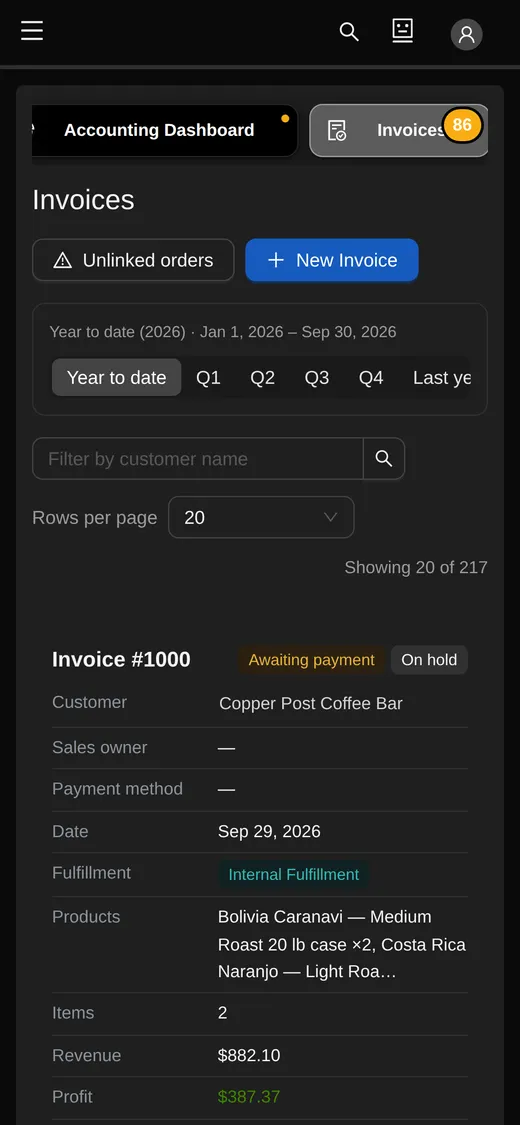
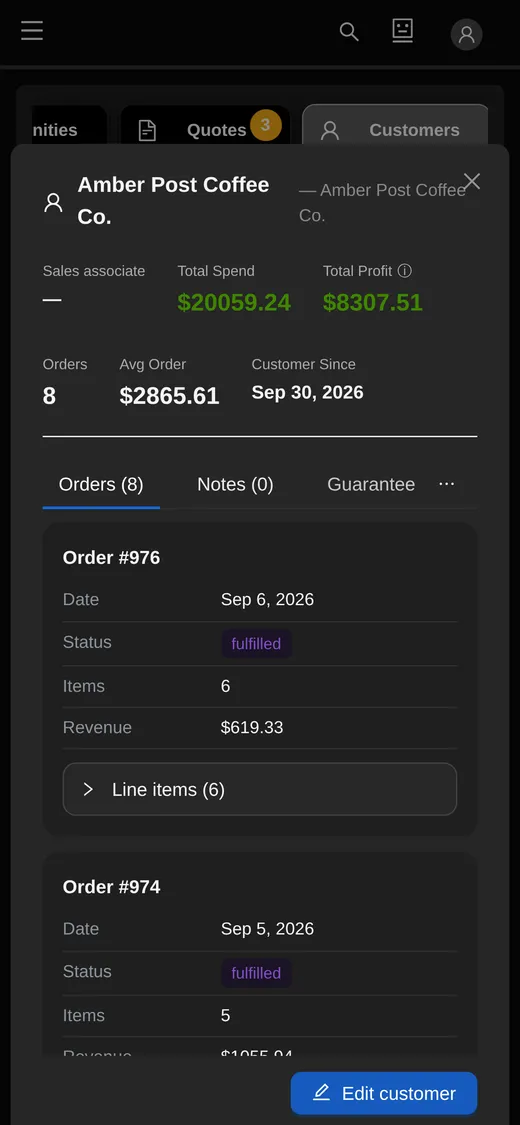
Tables keep their action buttons first and within reach. Extra columns fold behind a “+N” chip that lists them and brings them back, and on a phone each row becomes a card.
- On a phone, every row of tabs and menus swipes sideways instead of wrapping, and the assistant's button sits in the top bar.
- On screens narrower than 1440px, the sidebar folds to an icon rail that opens on hover and can be pinned.
- Checked on 23 table pages at five widths, from a 390px phone to a 3840px 4K screen.
Search from anywhere
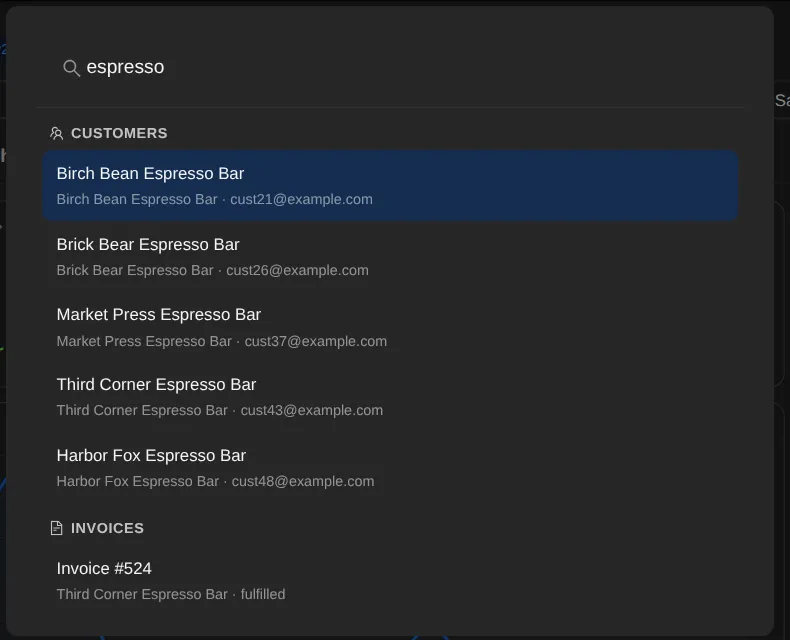
Search from anywhere with Ctrl-K (⌘K on a Mac). One search finds customers and leads — by name, email, company, or a phone number in any format — invoices and purchase orders by number or by customer or supplier name, quotes, opportunities, products, suppliers and employees.
- Each person sees only the kinds of record their role can open, and choosing a result opens that record.
QR Studio
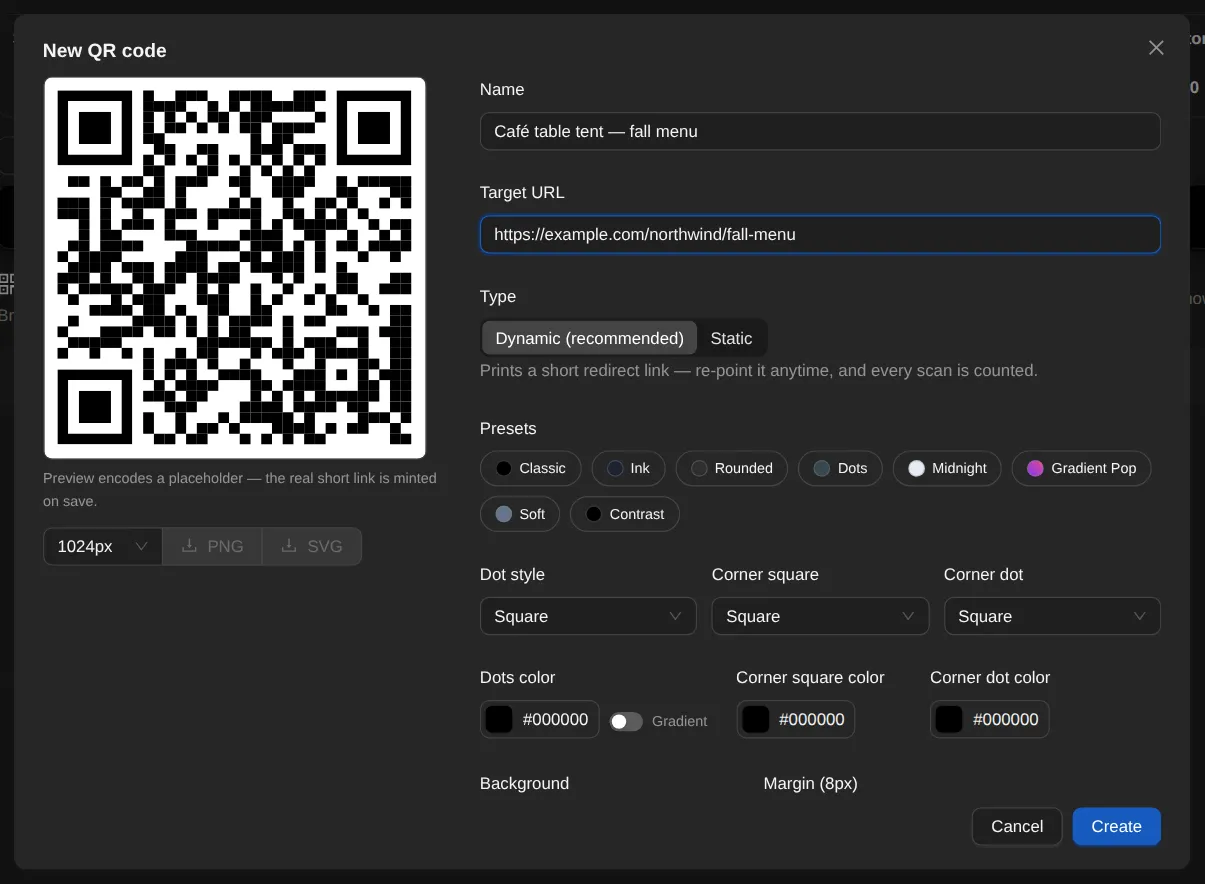
Design branded QR codes — eight style presets plus one from your own document branding, dot and corner shapes, gradients, a logo from your media library — and download PNG or SVG.
- A dynamic code encodes a short link on your store's domain, so you can change where it points after the sticker is on the box — and every real scan is counted, with link-preview bots ignored.
- Archiving hides a code while the printed link keeps working, and dynamic or static is fixed at creation — so printed material keeps working.
- QR Studio is an add-on module.
Integrations
Scoped, revocable API keys — read-only, shown once, hashed at rest, rate-limited per key — for a small read API of your orders.
- Its order data deliberately leaves out cost, margin, supplier and internal notes.
- Signed outbound webhooks for six events — order created, paid and fulfilled; shipment shipped and delivered; customer created — retried on a 1m / 5m / 30m / 2h / 12h schedule, with a delivery log, test and resend for each endpoint.
- Integrations is a module, switched on per company.
The store's embed script and widgets are on the online store page.
Control and safety
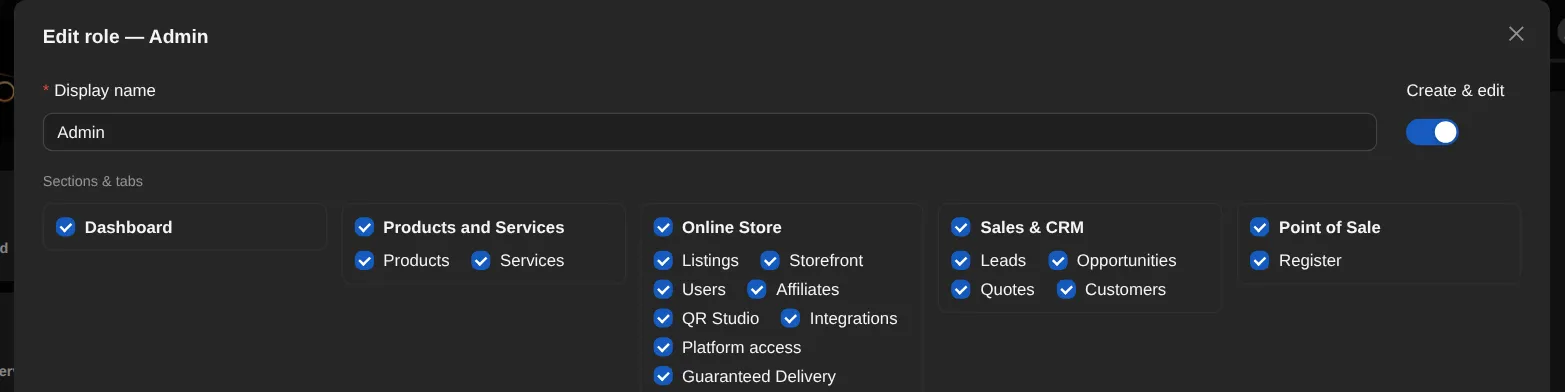
Roles and permissions, and an audit log on sensitive actions.
- Every destructive flow has guardrails.
- Every database is backed up nightly with a SHA-256 manifest on a 14-day rotation, and a full restore from those backups is exercised every night on a separate server.
- Every release runs on the test server first: production takes only the exact code already running there.
- Run several companies or brands on one install, with an org switcher and per-company theming, terminology, currency and locale.
See it on a live screen share.
The person who built OrienOS gives the demo and answers the detailed questions.
Book a demo